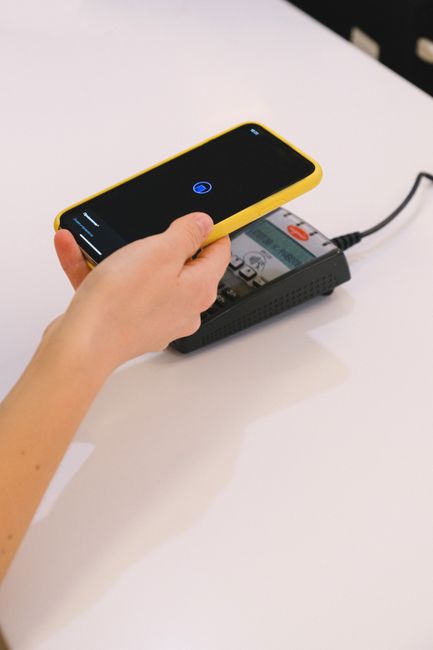
Speed at checkout directly translates to sales volume. NFC POS transaction recording software in the Philippines helps retail businesses accept contactless payments and track transaction metrics in one unified dashboard — reducing checkout time, eliminating manual tallying, and giving owners real-time sales visibility. Mastercard research shows contactless payments are up to 10x faster than chip-and-PIN for small purchases.
Local POS Transaction Processing Demographics
- 50%: Cash-on-Delivery & Cash Register
- 30%: E-wallet & QR Scans (GCash/Maya)
- 20%: Contactless NFC Card Payments
System Integration Checklist
- Deploy NFC transaction readers compatible with POS terminals.
- Program secure database schemas to capture payment logs.
- Integrate local receipt logging APIs.
Service Providers to Consider
| Provider | Type | Best For |
|---|---|---|
| RFX POS | SaaS / Cloud | Custom NFC POS with cloud dashboards |
| Ralph Lawrence Pecayo | Freelancer | Custom POS backend, Philippine payment integration |
| NexaCode Philippines | Agency | Multi-branch POS system builds |
| Loft Technologies | Studio | Custom database sync & API connections |
| Byte Harbor PH | Studio | SME POS interface design + development |
| ManilaDev POS | Agency | Multi-terminal inventory sync solutions |
| Peak POS | Studio | Custom mobile interface styling |
| Sync POS | Agency | E-wallet and banking terminal connections |
| Pixel POS | Studio | Bespoke checkout UI & analytics dashboards |
| CloudCore POS | Agency | Distributed cloud ledger accounting sync |
Frequently Asked Questions (FAQ)
-
What is NFC POS transaction recording software?
NFC POS software registers transaction logs by tapping an NFC-enabled card, phone, or badge on a reader terminal at checkout. The software captures the NFC tag’s identifier, matches it to a customer account or payment method, and records the sale in a secure cloud database. This setup is ideal for closed-loop payment systems, corporate cafeterias, school campuses, and member clubs. -
Why choose NFC over barcode scanning for sales?
NFC scans in under 200 milliseconds and is faster than barcode scanners, which can fail to read due to lighting or print quality. NFC tags are also highly secure because they utilize cryptographic authentication keys, making them impossible to clone. Barcodes can be easily photographed or copied, exposing businesses to fraud, whereas NFC tags provide robust verification. -
Does the software support GCash and Maya?
Yes, local developers integrate e-wallet payments like GCash and Maya using payment gateways like PayMongo or direct APIs. During checkout, the POS displays a dynamic QR code that customers scan, or prompts them to confirm payment on their mobile device. The system updates the transaction log as soon as payment is confirmed, aligning with the BSP’s digital payments roadmap. -
Is internet required?
No, reliable POS systems utilize an offline-first architecture to handle internet drops. The software caches transaction data locally in the device’s storage. When internet access is restored, the POS automatically uploads the offline logs to the cloud database, ensuring that transactions are never lost during connectivity outages. -
How is receipt printing handled?
Mobile POS apps connect to portable Bluetooth thermal receipt printers using standard protocols like ESC/POS, with common hardware choices including printers like the Epson TM-P20. Alternatively, you can send digital receipts to customers via SMS using the Semaphore API or via email to save paper. -
Is transaction data secure?
Yes, security is enforced using HTTPS (TLS 1.3) encryption in transit and AES-256 encryption at rest. All payment integrations are PCI DSS compliant to protect cardholder information. POS user sessions are authenticated using secure JWT tokens, following the cybersecurity standards set by the Bangko Sentral ng Pilipinas (BSP). -
Can it track inventory?
Yes, custom POS backends support automated inventory tracking. When a sale is processed, the system automatically decrements the stock quantity in the database and triggers reorder alerts if stock drops below a defined threshold. This helps business owners manage stock levels, reduce waste, and coordinate supplier orders. -
What hardware is required?
The software runs on standard Android tablets or iPads with built-in NFC capabilities, or can connect to external USB readers like the ACR1252U. This avoids the need for expensive, proprietary cash registers. A tablet paired with a Bluetooth receipt printer is a complete, cost-effective POS terminal. -
Can we export reports for tax filing?
Yes, POS dashboards export daily, weekly, and monthly sales reports in CSV or Excel format to comply with Bureau of Internal Revenue (BIR) filing guidelines. For streamlined bookkeeping, these reports can be configured to sync automatically with cloud accounting platforms like QuickBooks or Xero. -
How long does setup take?
A standard retail POS setup, including importing your product SKU list via CSV, configuring payment methods, and setting up receipt templates, can be completed in under 24 hours. For businesses requiring custom member tracking, table layouts, and multi-branch database configurations, implementation typically takes 3 to 5 business days.
.jpg)